
Apex Legends Clip Maker — Turn Gameplay into Vertical Shorts
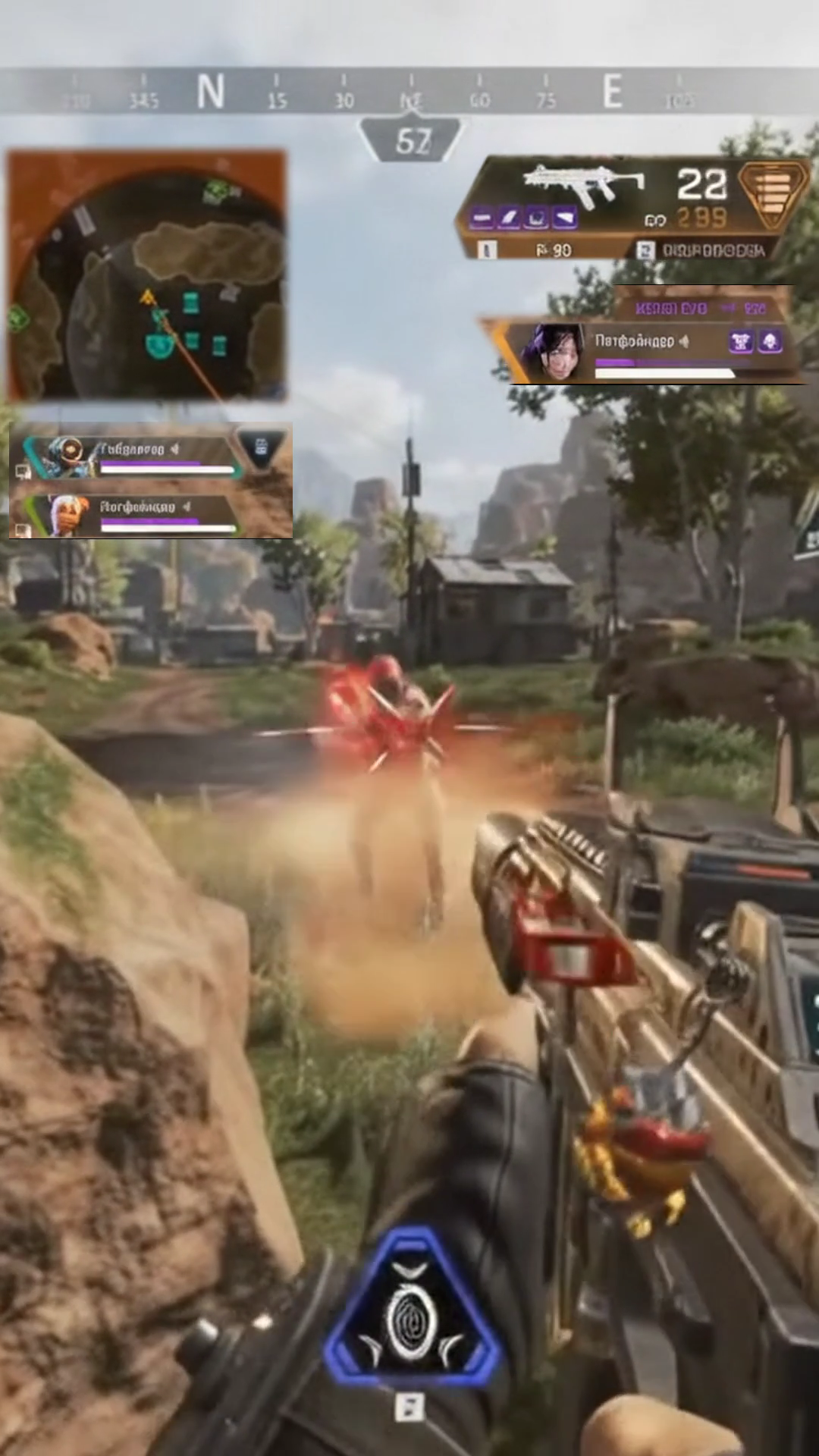
Turn your Apex Legends gameplay into vertical clips for YouTube Shorts, TikTok, and Instagram Reels. Keep your minimap, squad status, weapons, ammo, and health visible with a customizable Gaming HUD layout.
In-game radar & ring timer positioned in upper-left corner.
Teammate legend icons, health bars & shields below minimap.
Active weapon, fire mode & ammo counter with 3 diamond cutouts.
Player health bar & armor shield pips nested below weapon.
Captures your active gun, fire selector, remaining ammo, health bar, and armor shield cells using angled diamond masks, keeping gunfights centered and crosshairs clear.
Keep Your Apex Legends HUD in Vertical Clips
Standard vertical cropping can cut off important gameplay information. Gameplay Shorts lets you reposition key HUD elements so your viewers can follow the action without losing the context.
In-game radar and ring closure timer repositioned cleanly to the upper-left corner for rotation awareness.
Teammate health bars and shield tiers visible on the left side below the minimap.
Active weapon, fire mode, and ammo counter anchored in the upper-right corner with angled cutouts.
Player health bar and armor shield pips nested neatly below weapon information.
High-speed movement, slide-jumps, and crosshair battles stay unobstructed in the center of the vertical frame.
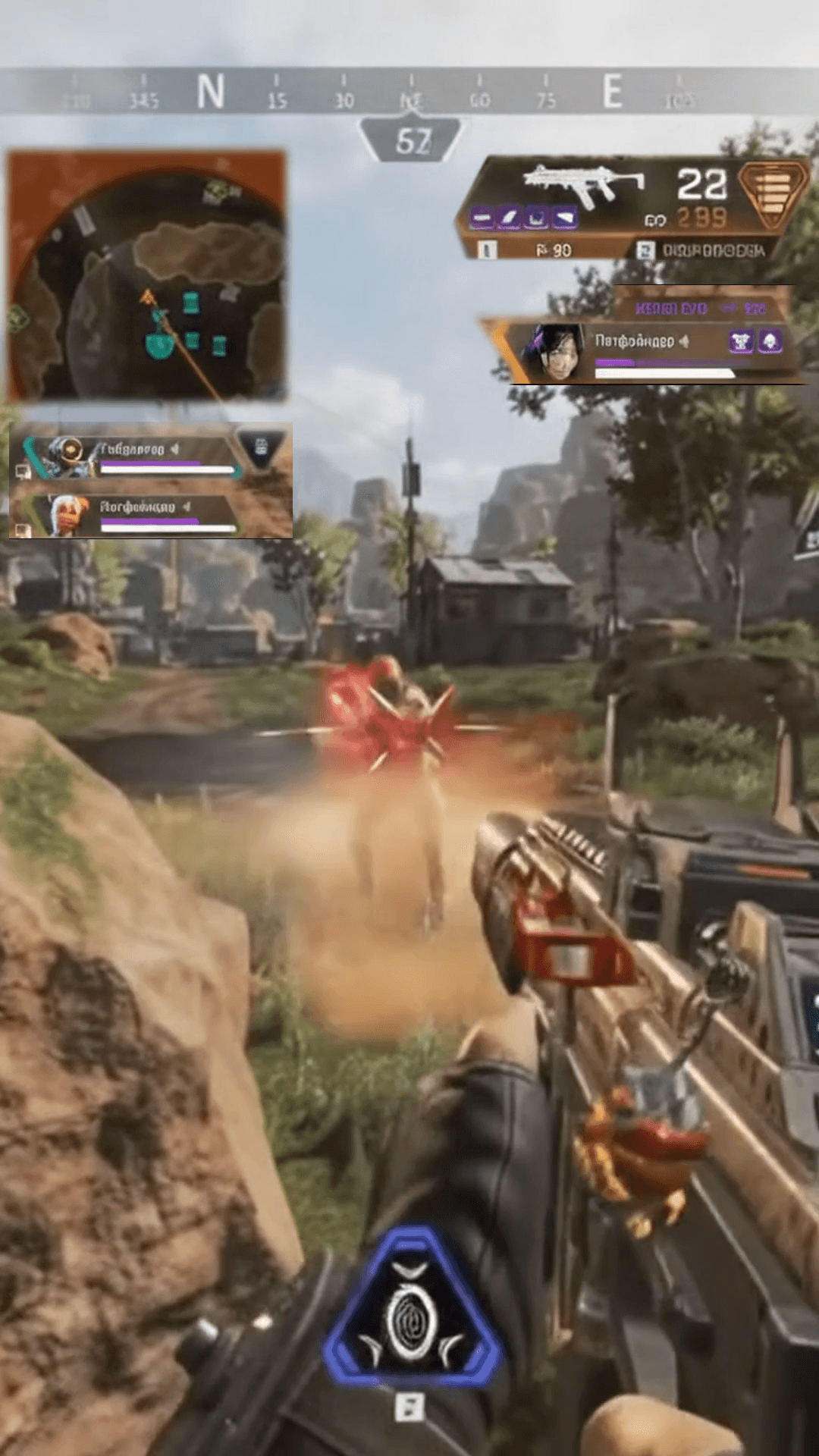
Minimap, squad health, weapon tier, and shield cells are repositioned cleanly while sliding and gunfights stay centered.
60% Interface Lost in Blind Crop
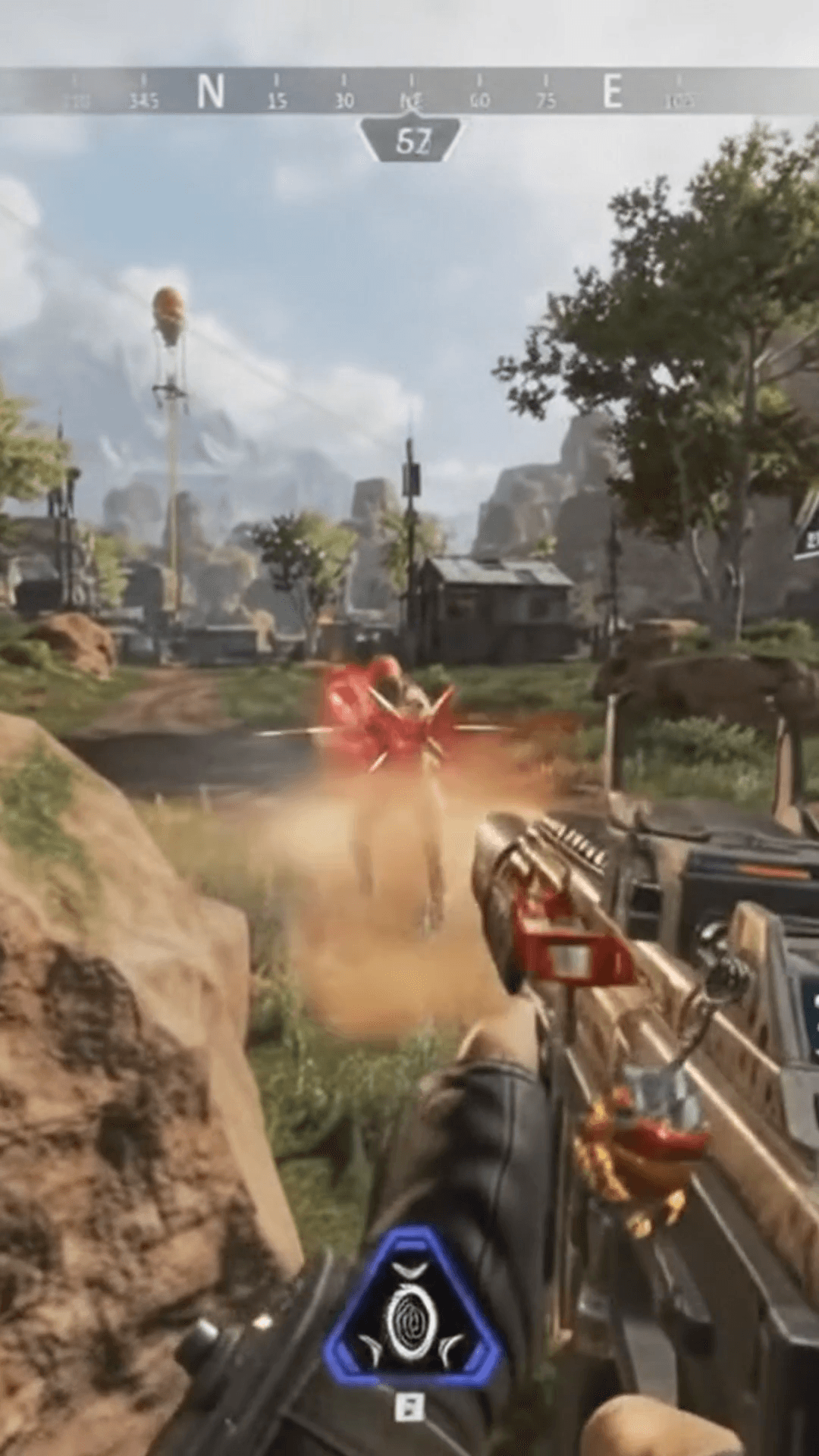
Standard center crop cuts off your squadmate status, active weapon ammo, and incoming ring timer, confusing mobile viewers.
Tactical Battle Royale HUD Restored
Minimap, squad health, weapon tier, and shield cells are repositioned cleanly while sliding and gunfights stay centered.
Keep Crucial Apex Legends Information in Every Clip
Apex Legends is built around intense speed, positioning, and squad survival. A standard vertical crop cuts off more than 60% of the widescreen monitor, discarding your squad status, ammo count, health, and minimap. Gameplay Shorts preserves the essential HUD context that makes high-skill Apex plays thrilling to watch.
Squad Survival & Teammate Status
Keep your teammates' legend portraits, health bars, and shield tiers visible on the left side below the minimap so viewers know who is still in the fight during 3v3 engagements.
Ring Positioning & Minimap Rotations
Reposition the in-game radar and ring closure timer cleanly to the upper-left corner of the vertical canvas so viewers can track choke points, storm movement, and rotations.
Weapon, Fire Mode & Ammo Reserves
Anchor your active weapon, fire selector, and remaining ammo counter in the upper-right corner using angled diamond masks, showing every clutch bullet during firefights.
Health Bar & Armor Shield Pips
Preserve your real-time health bar and armor shield segments in the upper right directly below weapon readouts so viewers can appreciate clutch armor swaps and low-HP survivals.
Centered Gunfights & Crosshair Action
Keep fast-paced movement, slide-jumps, zipline battles, and reticle tracking front and center without peripheral interface elements cluttering the middle of the frame.
Fine-Tune Coordinates (0.1% Steps)
Customize widget crop boundaries, canvas positions, and mask rotations in precise 0.1% increments to match your resolution, recording aspect ratio, or personal HUD scale.
From 16:9 Apex Recording to Vertical Short in Minutes
Upload Video or Import VOD
Drag and drop your MP4, WebM, or MOV gameplay recording, or paste a Twitch stream link to review AI-surfaced high-energy moments.
Apply Apex Legends Preset
Select Gaming HUD layout mode. The Apex Legends Default preset automatically repositions your minimap, squad status, weapons, and health.
Add Captions & Export MP4
Generate animated subtitles from your voice comms, adjust styles, and download clean, watermark-free 1080×1920 MP4 vertical clips.
Five Layout Options for Every Apex Highlight
Whether you need a full tactical HUD, facecam integration, or clean cinematic framing, Gameplay Shorts provides multiple layout modes for vertical publishing.
Centers widescreen gameplay while overlaying repositioned minimap, squad, weapon, and shield widgets.
Stacks your streamer facecam webcam cleanly above vertical gameplay footage.
Scales and pans the main action with a stylized blurred gameplay background fill.
Keeps the entire 16:9 gameplay frame intact with an ambient blurred background fill.
Centers the complete 16:9 frame with clean dark letterboxing above and below.
Add Captions to Your Best Apex Legends Moments
Fast-paced callouts, shield crack announcements, and champion voice lines deserve readable subtitles. Automatically transcribe your speech and burn animated captions into your MP4.
Minimalist white lettering with subtle drop shadow.
High-contrast stroke for immediate mobile impact.
Tactical gaming font tuned for esports highlights.
Word-by-word active highlighting as you speak.
Turn Your Apex Legends Highlights into Viral Shorts
Start with 2 free VOD hours. Paste your Apex Legends Twitch stream or upload gameplay, apply our verified 9:16 Gaming HUD layout, and export clean, watermark-free vertical Shorts in minutes.
2 VOD hours free for new eligible accounts • Dedicated Apex Gaming HUD Layout • Watermark-free 1080×1920 MP4
Frequently Asked Questions
How do I turn Apex Legends gameplay into YouTube Shorts?
Can I keep my Apex Legends minimap visible in vertical clips?
Can I keep my squad status and teammate health visible?
Does Gameplay Shorts support custom Apex Legends HUD scales?
Where are the weapon and health bars positioned in vertical clips?
What is a Gaming HUD layout?
Can I save my custom Apex Legends HUD layout?
Can Gameplay Shorts find exciting Apex Legends moments automatically?
Can I add captions to Apex Legends clips?
What video format can I export?
Gameplay Shorts is an independent tool and is not affiliated with or endorsed by Electronic Arts Inc. or Respawn Entertainment. Apex Legends and related trademarks belong to Electronic Arts Inc.