
League of Legends Clip Maker
Turn League of Legends gameplay into vertical Shorts, TikToks, and Reels while keeping your minimap, champion stats, abilities, and team HUD visible.
Ally portraits & ultimate status placed at top.
Champion level, portrait & stats on left edge.
Repositioned to left edge for lane vision & ganks.
Q/W/E/R ability cooldowns & inventory at bottom.
Captures the match timer, team kill scores, and player KDA from the top right and places it cleanly at the vertical canvas header for instant viewer orientation.
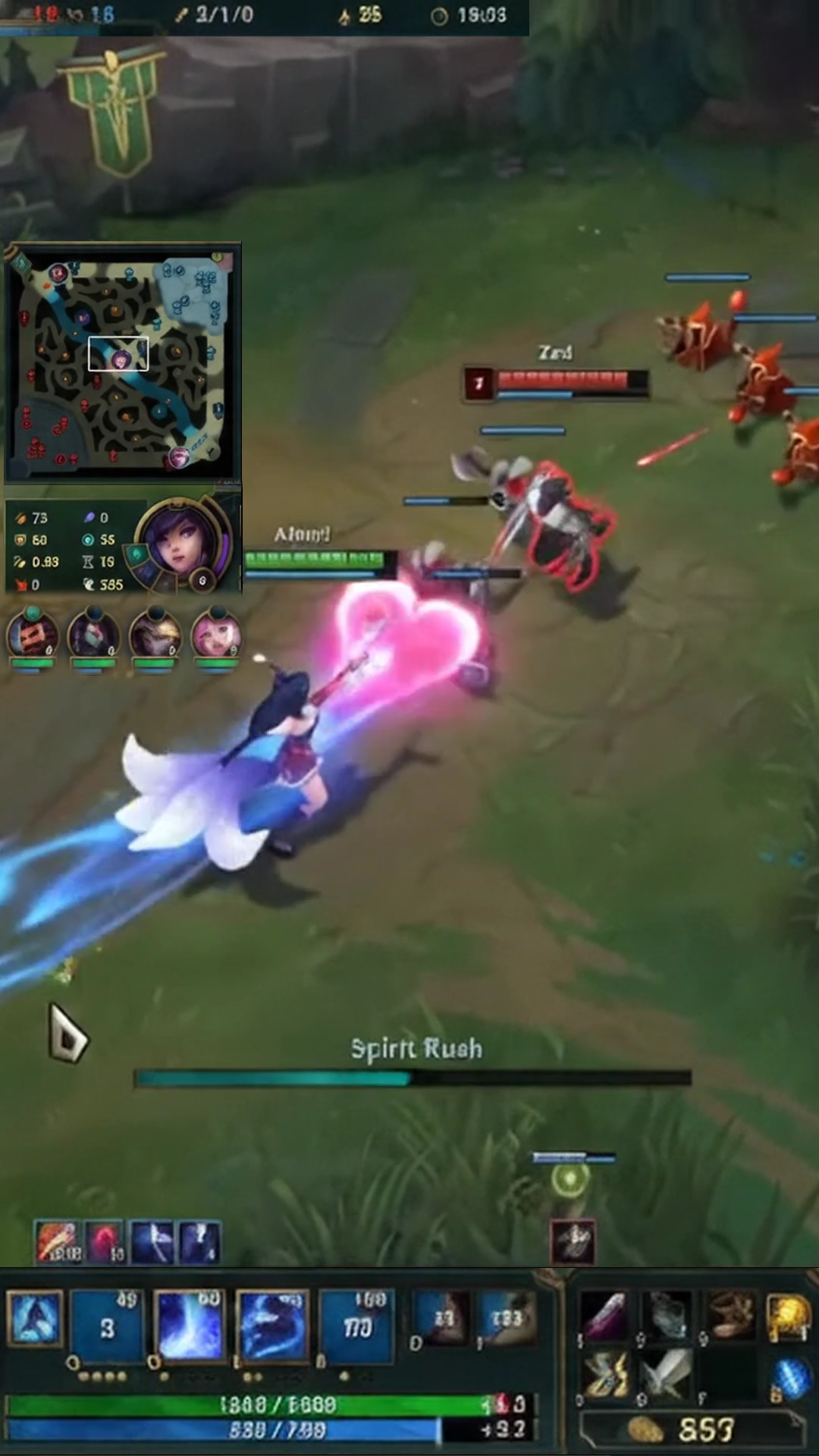
Don't Just Crop League of Legends. Rebuild Your HUD for Shorts.
Standard vertical cropping cuts off your minimap, champion stats, teammate portraits, and match score. Gameplay Shorts lets you reposition these vital interface elements cleanly around the action.
Four ellipse masks extract ally portraits and health bars to keep 5v5 team context visible.
Champion portrait, level, and stats repositioned cleanly on the vertical canvas edge.
In-game radar repositioned from widescreen corner to vertical frame for lane and rotation awareness.
Q/W/E/R ability cooldowns, summoner spells, and item slots repositioned cleanly at the bottom.
Game clock, kill counters, and KDA framed at the top to establish immediate match context.
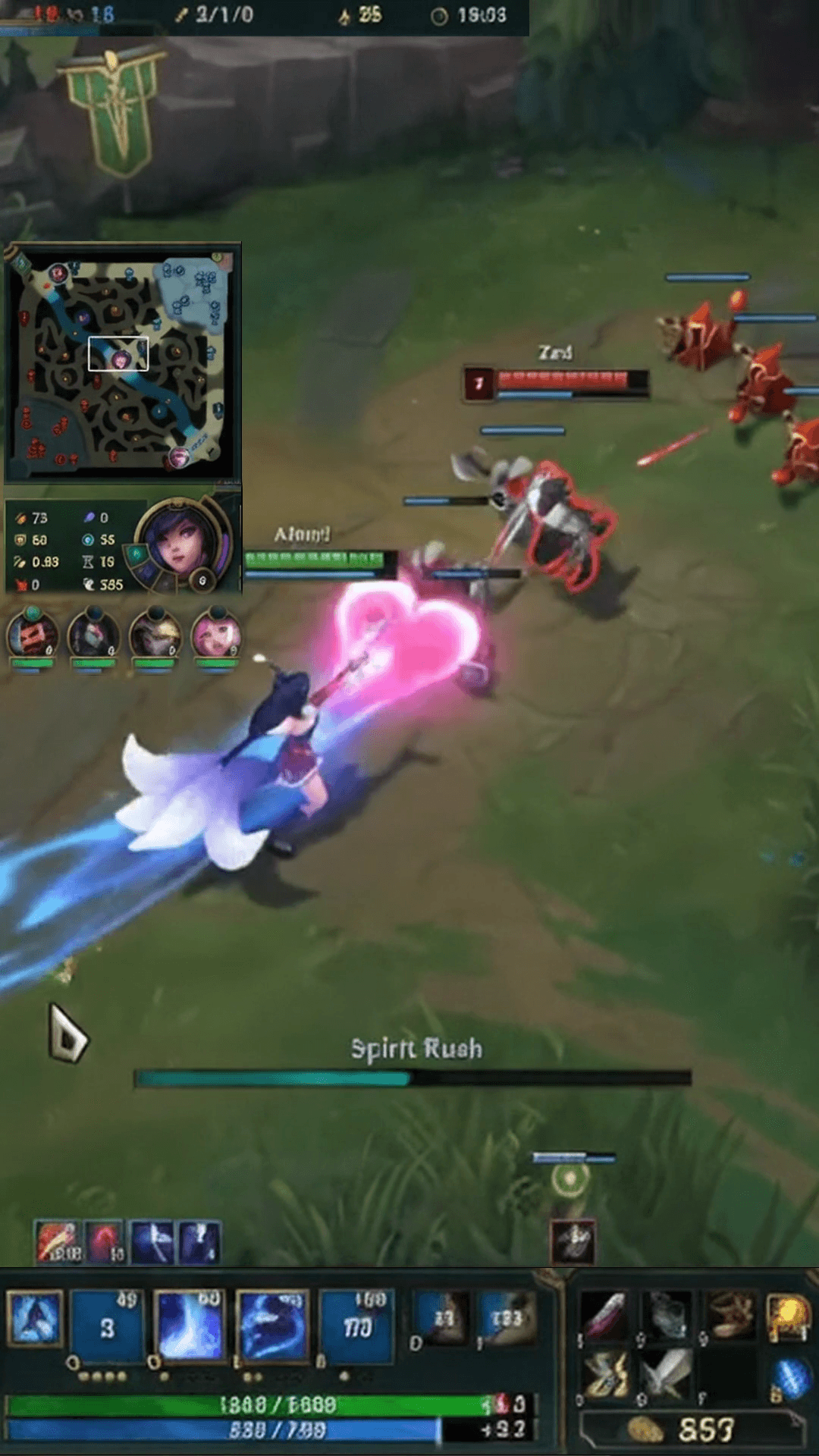
Teammate portraits, minimap, champion stats, and abilities cleanly repositioned around vertical Summoner's Rift gameplay.
Standard Vertical Crop
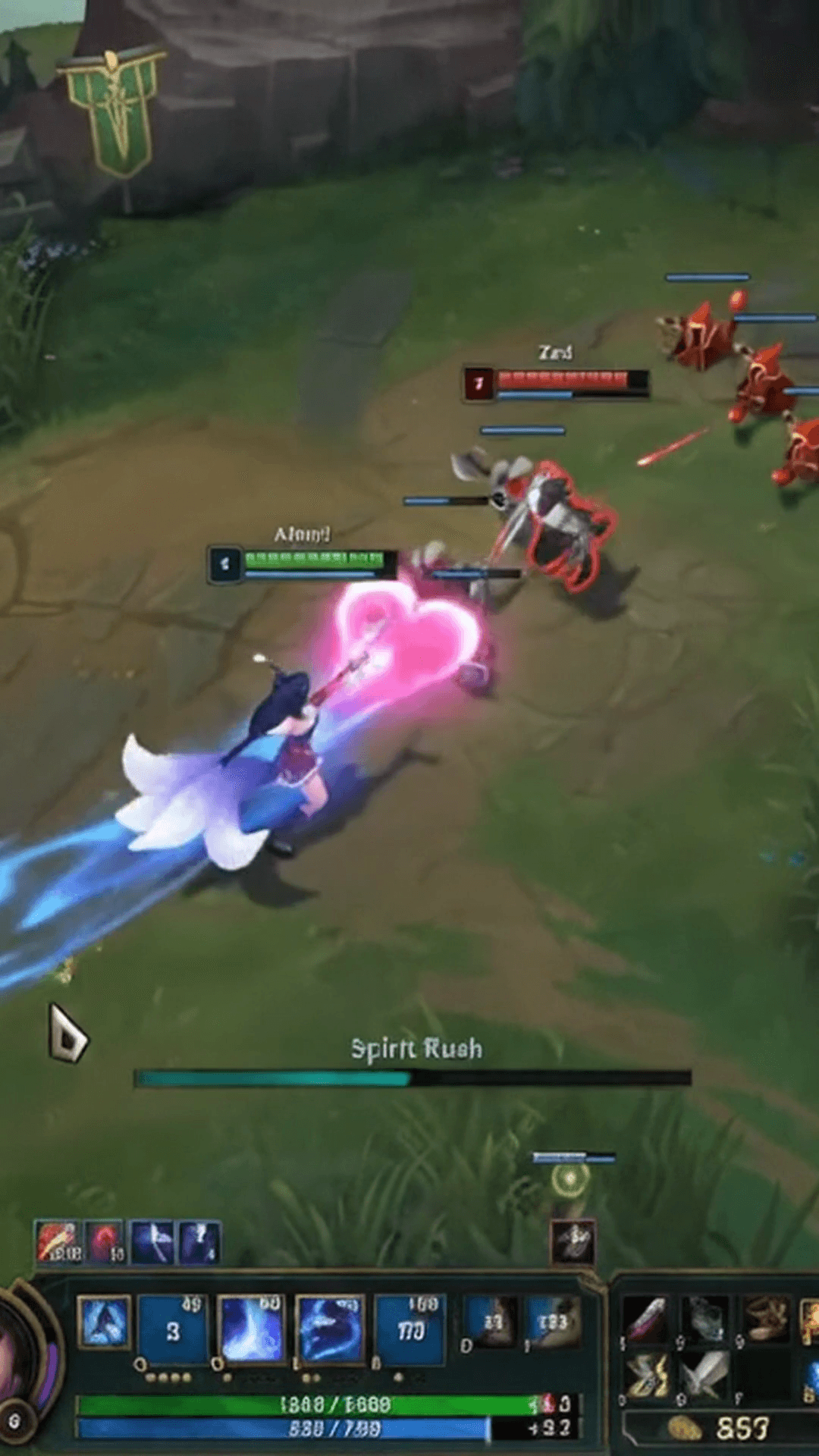
Standard 9:16 center cropping cuts off teammate portraits at the top, the minimap, and champion stats on the peripheral edges, leaving viewers without essential match context.
LoL Gaming HUD Layout
Restores teammate portraits with 4 custom ellipse masks, the minimap, champion stats, and abilities while keeping central Summoner's Rift teamfights unobstructed.
Keep Crucial League of Legends Information in Every Clip
League of Legends is driven by information. A standard vertical crop cuts off more than 60% of the widescreen monitor, discarding champion stats, cooldowns, and the minimap. Gameplay Shorts preserves the essential HUD context that makes high-skill LoL plays exciting to watch.
5v5 Teamfight Context & Teammates
Extract ally champion portraits using four dedicated ellipse masks so viewers can monitor team health, active ultimates, and who remains alive in chaotic teamfights.
Minimap Radar & Objective Awareness
Reposition the in-game radar from the widescreen corner to the vertical frame edge to display lane pushes, jungle tracking, and Baron or Dragon positioning.
Champion Portrait, Level & Stats
Keep your champion level, portrait, and combat stats visible on the frame edge without obstructing central spellcasting and champion movement.
Ability Cooldowns & Item Actives
Preserve your Q/W/E/R ability cooldown timers, summoner spells like Flash or Ignite, and active items so viewers appreciate clutch outplay timings.
Match Clock, Kill Score & KDA
Keep the match timer, team kill scores, and player KDA readable at the top to establish immediate competitive context for late-game clashes.
High-Visibility Vertical Framing
Keep your champion centered during high-stakes skirmishes while surrounding them with crisp, rearranged interface widgets for clean vertical viewing.
Default HUD Compatibility & Custom Scaling
Using a custom League of Legends HUD size? Start with our default preset and fine-tune each widget to match your gameplay.
Because League of Legends allows players to adjust the scale of the chat, minimap, and champion interface independently, preconfigured coordinates may not match every personal recording. Gameplay Shorts makes it effortless to adjust individual source crops, widget coordinates, and canvas dimensions with precision controls, then save your customized setup as your own reusable preset.
Build Your Own League of Legends Gaming HUD Layout
Customize how your League of Legends clips look with full control over widget positions, dimensions, and feathered edge masking.
Custom HUD Widgets
Extract distinct regions from your original 16:9 gameplay video—such as teammate portraits or the minimap—and position them freely on the 9:16 vertical canvas.
Layer Ordering
Arrange widgets using Front, Back, Up, and Down layer controls to ensure HUD panels stack cleanly without unwanted visual collisions.
Feathered Edge Masking
Apply rectangular and elliptical masks with adjustable edge feathering to eliminate harsh borders and blend interface elements smoothly onto your short.
Precision Crop Controls
Fine-tune crop coordinates with dedicated ±0.1% step buttons and sliders to isolate small HUD elements precisely without mouse-drag drift.
Center-Anchored Sizing
Scale widget dimensions from 25% to 300% and content zoom from 25% to 200% while maintaining centered positioning on your mobile canvas.
Reusable Custom Layouts
Save your verified League of Legends HUD layout to your personal account. Apply it to every new highlight video in a single click with zero readjustment.
How to Create League of Legends Shorts in 3 Steps
Transform hours of League of Legends stream footage into vertical highlights ready for TikTok and Shorts in minutes.
Import Gameplay
Upload your League of Legends video file directly or paste a Twitch VOD link to stream and analyze match footage without heavy manual downloads.
Customize Your Layout
Select Gaming HUD mode, choose League of Legends Default, and fine-tune your minimap, champion stats, abilities, and teammate portraits.
Export Your Short
Generate synchronized subtitles, review your vertical composition in the browser, and export a watermark-free 1080×1920 MP4 video.
Surface High-Energy League of Legends Moments Automatically
Finding the best 30 seconds across an entire stream takes time. Gameplay Shorts evaluates your stream signals to identify high-energy action.
Surfaces intense 5v5 teamfights, sudden Baron pit initiations, and chaotic base defense moments.
Identifies rapid kill chains, carry snowballing, and multikill highlights through audio dynamics and chat activity.
Flags low-health survivals, bush jukes, and narrow Flash escapes through streamer audio dynamics.
Identifies high-stakes Dragon and Baron contests where match momentum shifts dramatically.
Captures late-game base defenses, backdoors, and close Nexus races decided by seconds.
Pinpoints voice volume spikes, genuine disbelief, and funny streamer reaction moments.
Our highlight engine evaluates audio dynamics, streamer vocal energy, chat spikes, and visual motion to surface candidate clips. It evaluates audiovisual signals rather than parsing internal game-engine events.
Flexible Layout Formats for Any Gaming Clip
Choose the vertical framing style that matches your gameplay footage and content strategy.
Best for League of Legends. Restores teammate portraits, minimap, stats, and abilities over centered action.
Places your webcam feed at the top while centering widescreen gameplay in the lower section.
Fills the complete vertical 9:16 screen with centered action for fast-paced, HUD-free viewing.
Keeps the entire 16:9 gameplay frame intact with an ambient blurred background fill.
Centers the complete 16:9 frame with clean dark letterboxing above and below.
Add Captions to Your Best League of Legends Moments
High-intensity team comms, Baron callouts, and victory screams deserve readable subtitles. Automatically transcribe your speech and burn animated captions into your MP4.
Minimalist white lettering with subtle drop shadow.
High-contrast stroke for immediate mobile impact.
Tactical gaming font tuned for esports highlights.
Word-by-word active highlighting as you speak.
Turn Your League of Legends Highlights into Viral Shorts
Start with 2 free VOD hours. Paste your League of Legends Twitch stream or upload gameplay, apply our verified 9:16 Gaming HUD layout, and export clean, watermark-free vertical Shorts in minutes.
2 VOD hours free for new eligible accounts • Dedicated LoL Gaming HUD Layout • Watermark-free 1080×1920 MP4
Frequently Asked Questions
How do I turn League of Legends gameplay into YouTube Shorts?
Can I keep my LoL minimap visible in vertical clips?
Does Gameplay Shorts support custom League of Legends HUD sizes?
Can I reposition champion abilities and other HUD elements?
Can I save my own League of Legends HUD layout?
What is a Gaming HUD layout?
Can Gameplay Shorts find exciting League of Legends moments automatically?
Can I add captions to League of Legends clips?
What video format can I export?
Gameplay Shorts is an independent tool and is not affiliated with or endorsed by Riot Games, Inc. League of Legends and related trademarks belong to Riot Games, Inc.