
Call of Duty Modern Warfare 4 Clip Maker
Turn Modern Warfare 4 gameplay into vertical Shorts without losing your minimap, weapons, or player status. Use a ready-made Gaming HUD layout designed for 9:16 videos.
Map (Tactical Radar Minimap)
Size 104% · Top RightFrames the situational radar on the right side of the upper panel with rounded corners and edge feathering.
Weapon & Ammo Information
Size 115% · Top LeftPositions primary weapon silhouette, magazine capacity, and reserve ammunition cleanly on the left side of the top panel.
HP & Player Stance Status
Size 130% · Top LeftDisplays health status and stance indicators cleanly with precision masks, aligned seamlessly in the top header.
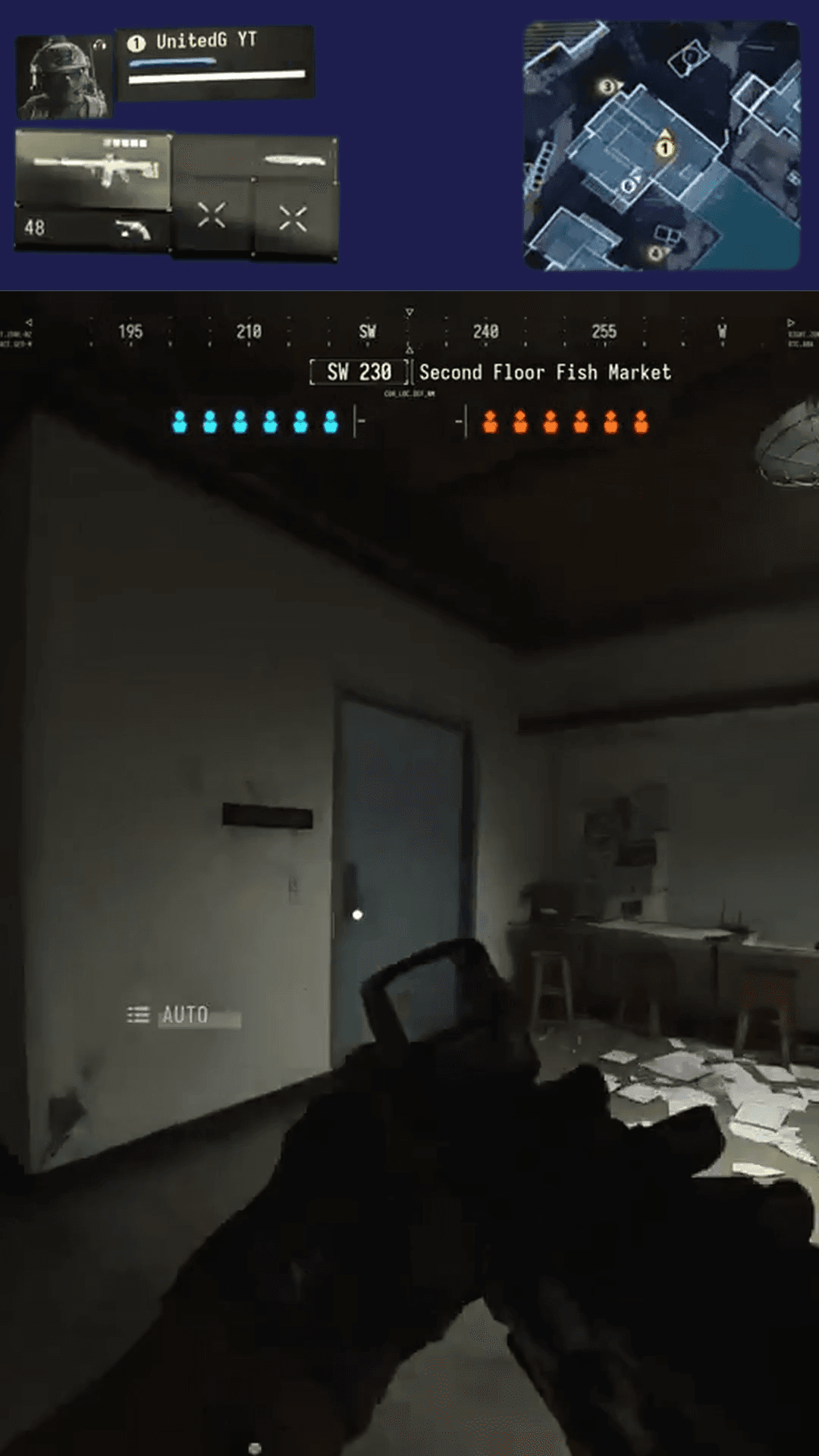
Split layout: minimap on the right of the top panel, weapons & player status on the left, full combat below.
See the Difference: Standard Crop vs Modern Warfare 4 Gaming HUD
Standard vertical cropping cuts off your minimap, weapon ammunition, and player status indicators, leaving viewers with no context during intense gunfights. Our Modern Warfare 4 Gaming HUD preset keeps critical HUD information framed cleanly around your vertical gameplay.
Minimap stays framed on the right side of the upper panel so viewers track rotations and UAV pings.
Weapon model and bullet counts remain visible on the left so viewers anticipate reloads in clutch gunfights.
Player status indicators remain readable on the upper left without covering central combat action.
Unobstructed vertical gameplay canvas preserves ADS sightlines, recoil control, and target tracking.
Dedicated upper banner organizes tactical HUD elements cleanly above the main action.
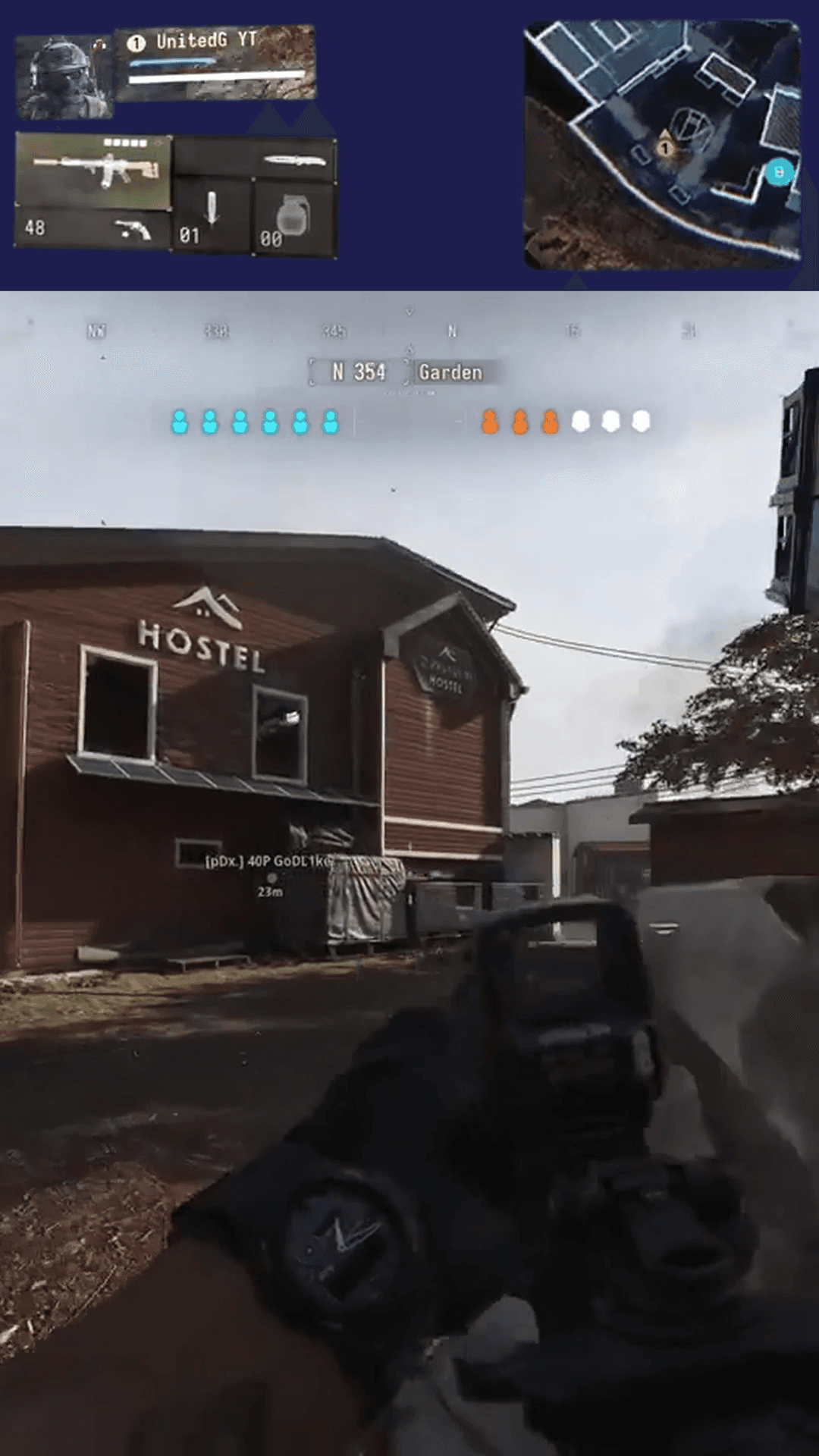
Minimap, weapon info, and player status clearly preserved above centered vertical combat.
Standard Vertical Crop
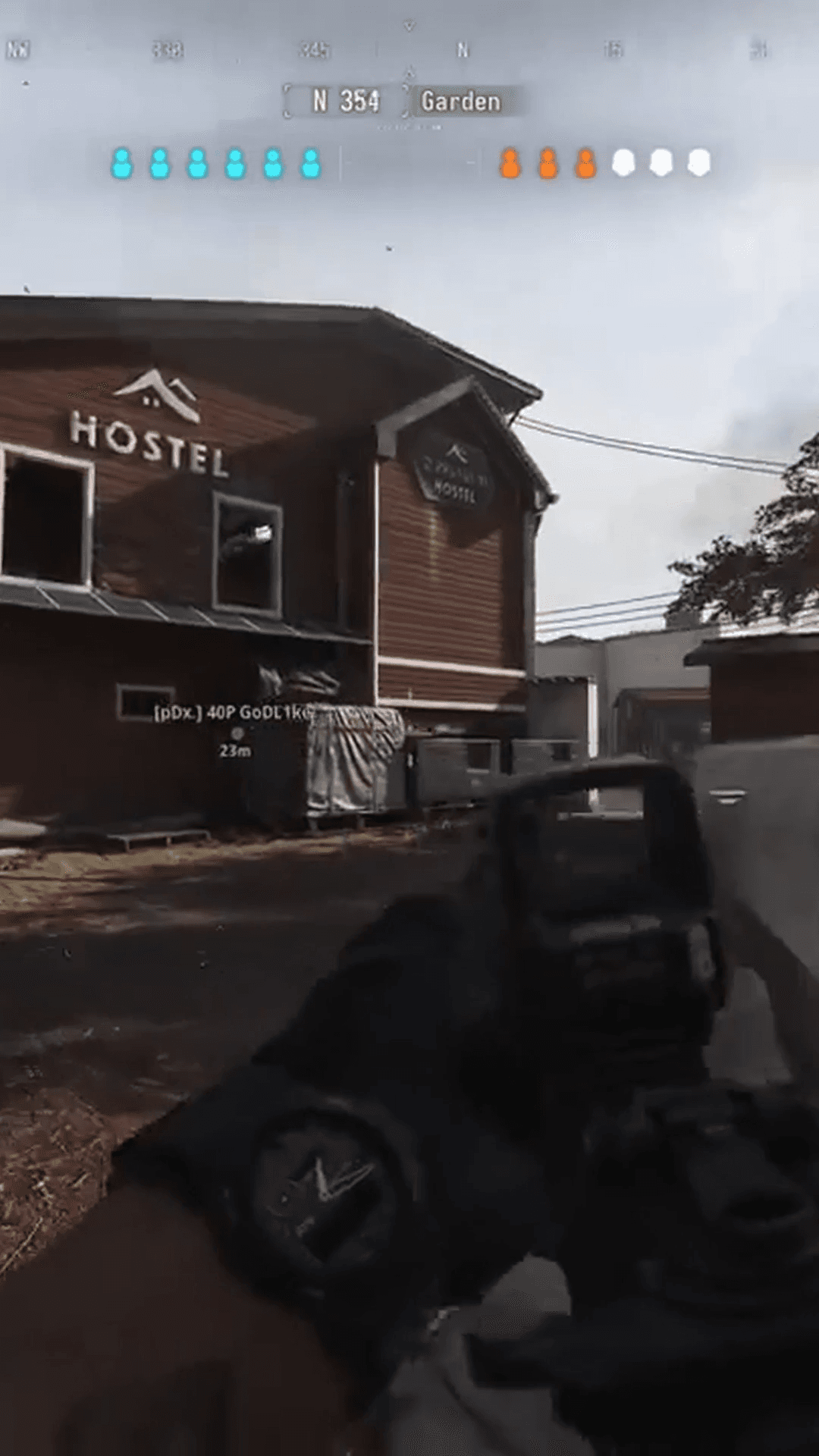
Standard 9:16 center cropping slices away tactical radar, ammunition counts, and player status, leaving viewers without match context during crucial gunfights.
Modern Warfare 4 Gaming HUD Layout
Top panel frames the tactical minimap on the right and weapon & player status on the left, while full-height gunplay and crosshair sightlines remain clear below.
Keep Crucial Modern Warfare 4 Information in Every Clip
When viewers watch a vertical Call of Duty clip on TikTok, Shorts, or Reels, tactical awareness is what makes a clutch play engaging. Without the radar minimap, ammunition counts, and health status, incredible multi-kills lose their strategic impact.
Minimap & Radar Pings
Display the overhead tactical radar in the upper header with rounded corners so viewers understand enemy positions, UAV pings, and map rotations.
Weapon & Ammunition Info
Keep active weapon models and bullet counters visible on the left side of the upper panel so viewers track clutch reload timing under pressure.
Health & Player Stance
Preserve player status and vital indicators in the top panel so viewers experience the tension of low-health escapes and tactical repositions.
Unobstructed ADS Sightlines
By elevating the HUD widgets into the dedicated 20% upper panel, the entire central canvas remains clear for iron sights, reticles, and recoil control.
Objective Progress
Match countdown clocks and point capture status remain visible across the vertical frame, giving viewers immediate stakes during clutch plays.
Clean Broadcast Header
A balanced solid dark header provides high visual contrast for tactical widgets, delivering a polished broadcast-quality look for your Shorts.
Customize Your Modern Warfare 4 HUD Layout
Gameplay Shorts provides full manual control over your layout. Fine-tune widget crops, positions, sizes, and masks directly in your browser with zero guesswork.
Split Header Composition
A sleek 20% upper panel with solid color fill creates a dedicated space for tactical widgets above full-height vertical combat.
Precision Source Crop Bounds
Adjust X/Y percentages and dimensions to isolate your minimap or ammo counter with live visual bounds on 720p, 1080p, or 1440p footage.
Widget Size Control (25%–300%)
Enlarge or shrink composed widgets around their center anchor point with single-click precision buttons to make small UI elements easy to read.
Precision Vector Masks
Apply vector masks with custom corner radii and rotation angles to isolate angled HUD widgets cleanly without harsh rectangular cutouts.
Edge Feathering
Soften mask borders with adjustable feather radii so HUD widgets dissolve smoothly into the background canvas without sharp black borders.
Save & Reuse Custom Layouts
Save your verified layout under Call of Duty Modern Warfare 4 in your account to re-apply it to future gameplay clips in one click.
Every coordinate, widget size, and mask parameter configured in your browser preview is preserved bit-for-bit in the final export.
How to Create Modern Warfare 4 Shorts
Transform gameplay clips into ready-to-post vertical Shorts in a straightforward browser-based workflow.
Upload Gameplay
Upload an MP4 clip from your device or paste a Twitch VOD link to fetch stream footage directly.
Select MW4 Preset
Select Call of Duty Modern Warfare 4 to instantly apply the default Gaming HUD layout to your canvas.
Adjust If Needed
Fine-tune widget placements, resize elements, or add streamer facecam and captions as desired.
Export 9:16 Video
Preview in real time and render a watermark-free 1080×1920 MP4 ready for YouTube Shorts, TikTok, and Reels.
Flexible Layout Formats for Any Gaming Clip
In addition to the Gaming HUD preset, Gameplay Shorts supports multiple layout options to fit any stream scenario:
Split layout with top-region minimap and weapons above centered vertical gameplay.
Classic stacked layout: streamer webcam on top and 9:16 gameplay below.
Full vertical crop with horizontal panning to focus strictly on crosshairs and gunfights.
Full 16:9 gameplay centered against a synchronized blurred background.
Centers the complete 16:9 frame with clean dark letterboxing above and below.
Add Captions for Tactical Team Callouts
Fast-paced multiplayer matches are filled with quick tactical calls, reactions, and banter. Synchronized subtitles ensure viewers catch every word even when viewing with sound muted.
Clean
High-contrast typography with soft drop shadows designed for quick readability over gameplay.
Bold
Heavy lettering with thick black outlines built for high-energy clutches and loud streamer shouts.
Gaming
Vibrant colored highlights designed for fast-paced competitive team comms.
Karaoke
Word-by-word active highlighting synchronized with your voice, drawing viewer eyes to key callouts.
Turn Your Modern Warfare 4 Plays into Vertical Shorts
Upload your Modern Warfare 4 gameplay or paste a Twitch stream, apply our verified 9:16 Gaming HUD layout, and export clean, watermark-free vertical Shorts in minutes.
Browser-based editor • Dedicated Modern Warfare 4 Gaming HUD Preset • Watermark-free 1080×1920 MP4
Frequently Asked Questions
What is the Call of Duty Modern Warfare 4 Clip Maker?
How does the preset keep the minimap visible in vertical Shorts?
Where are weapon and player status information placed in the layout?
Can I customize and save my own Modern Warfare 4 HUD layout?
Which vertical social media formats are supported?
Do I need to download massive Twitch VOD files to create clips?
Can I add streamer facecam and captions to my Modern Warfare 4 clips?
Gameplay Shorts is an independent tool and is not affiliated with, associated with, or endorsed by Activision or Call of Duty.