
Valorant Clip Maker – Turn Gameplay into Shorts
Turn your Valorant aces, 1vX clutches, operator flick shots, and streamer reactions into vertical clips for TikTok, YouTube Shorts, and Reels. Keep your HUD visible with smart gaming layouts that preserve team portraits, minimap, health, and ammo.
Team 1 & Team 2 Headers (Top)
Widget Size 300%Captures agent portraits, alive player status icons, and match round scores enlarged crisply across the top border.
MiniMap Radar (Left)
Ellipse MaskIsolates the circular radar map with feathered alpha transparency, keeping site executes and enemy pings in frame.
Health & Ammo Status (Bottom Left / Right)
Displays remaining HP and shield numbers on the left, and Vandal/Phantom magazine bullets and abilities on the right.
Round Timer & Multi-Killfeed
Keeps the spike plant countdown and top-right ace elimination banners highlighted without obscuring crosshair placement.
Full-frame 9:16 gunplay with team status, minimap radar, round timer, HP, and ammo.
See the Difference: Standard Crop vs Valorant Gaming HUD
Standard vertical cropping cuts off the scoreboard, minimap, health, and ammo—leaving viewers without tactical context. Our Valorant Gaming HUD layout keeps every crucial HUD element framed cleanly around your gameplay.
Player portraits, agent status, and round score remain clearly visible.
Radar rotations, site pushes, and flank information stay in frame.
Surviving health is crisply displayed so viewers feel the clutch tension.
Gun loadout, magazine bullets, and ability counts stay readable.
Clean 9:16 gameplay area dedicated to operator flicks and headshots.
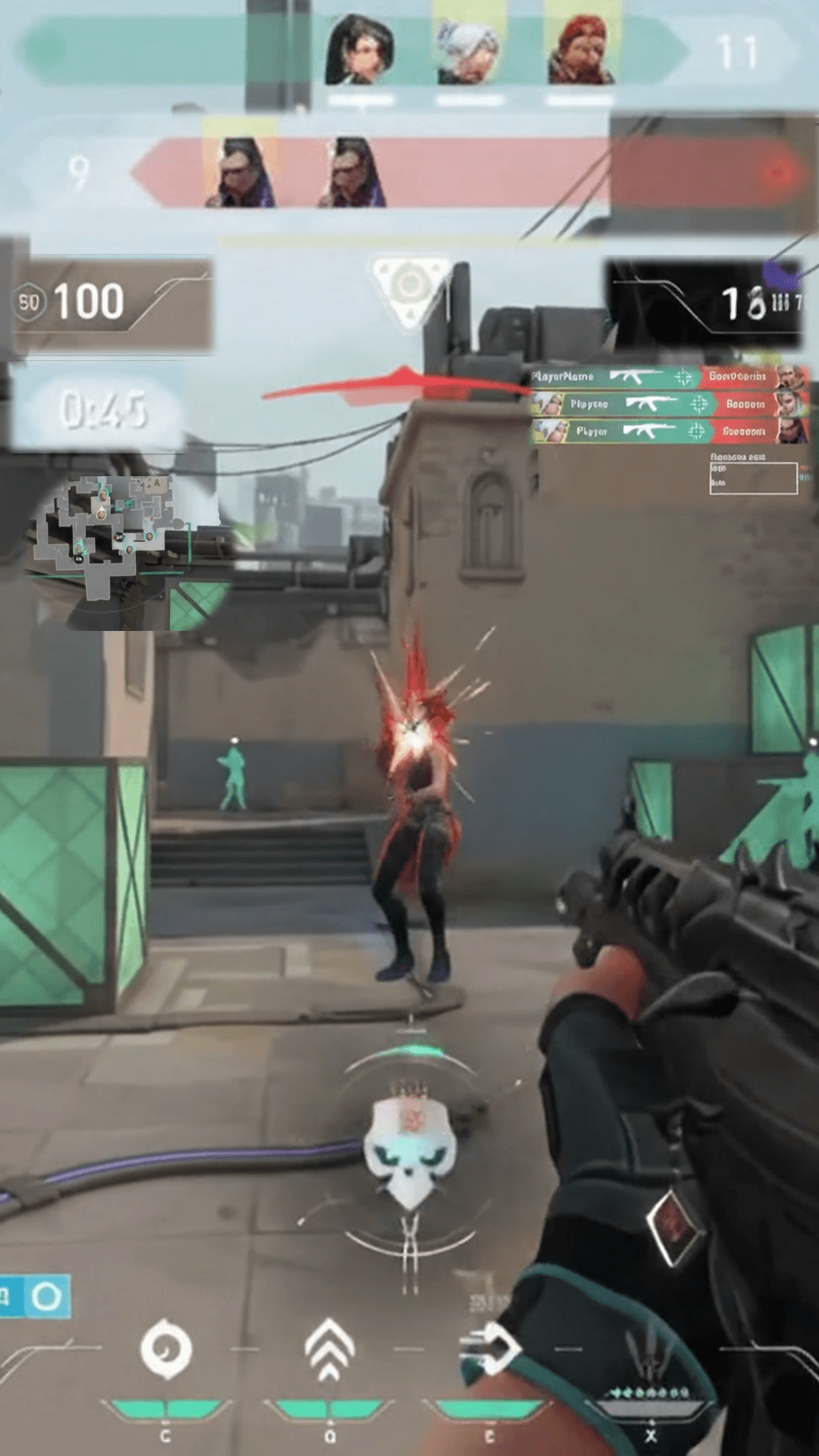
Team headers, minimap, timer, health, and ammo cleanly preserved over full gameplay.
Standard Vertical Crop
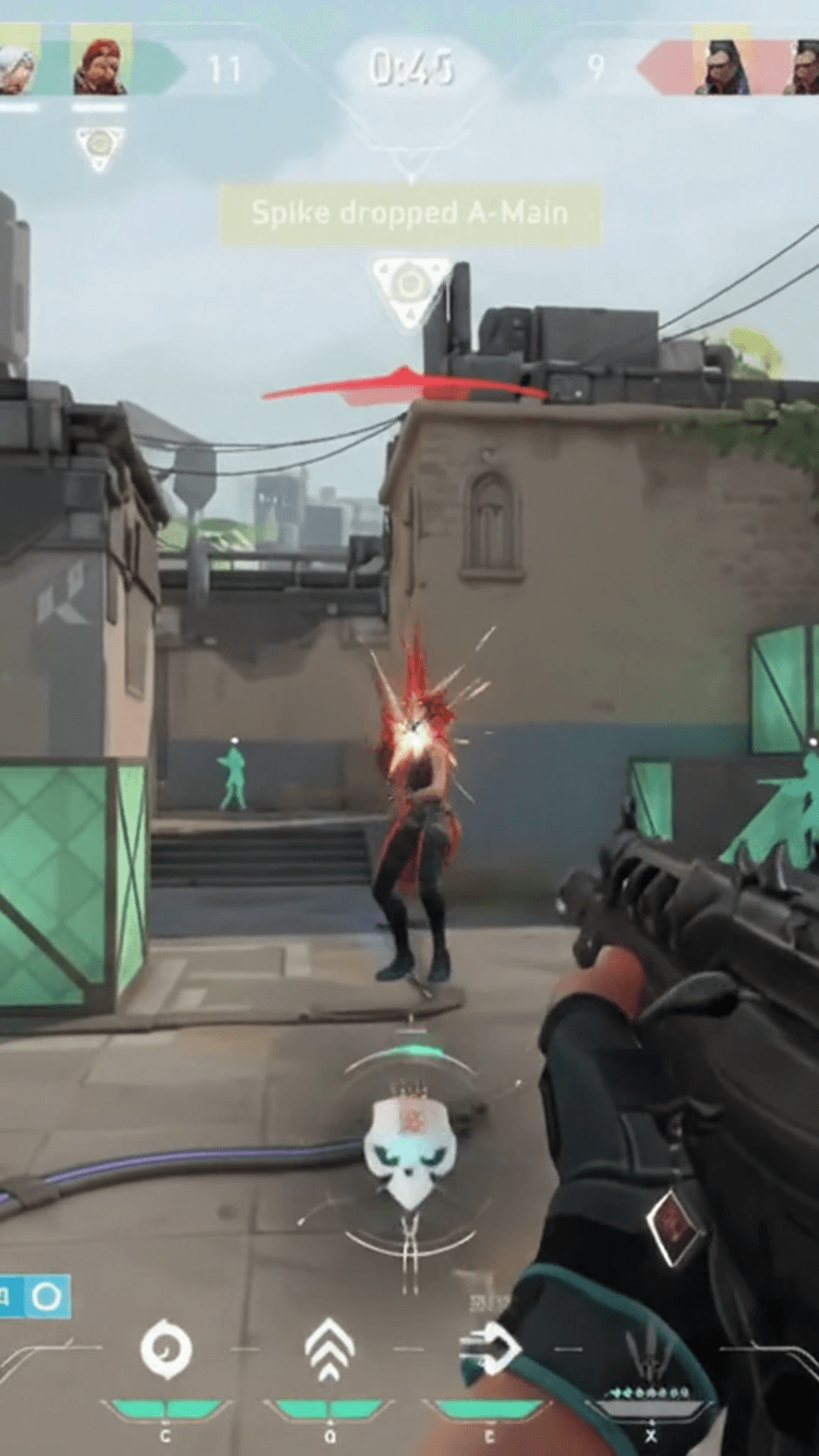
Peripheral gameplay elements fall outside the vertical frame, leaving viewers in the dark about team counts, radar positions, and clutch health.
Valorant Gaming HUD Layout
More space dedicated to gameplay. Team headers stay on top, minimap on the left, timer intact, and HP and ammo positioned along the borders.
Keep Crucial Valorant Information in Every Clip
When viewers watch a vertical Valorant clutch on TikTok, YouTube Shorts, or Reels, they need immediate tactical context. Without team counts, health, and abilities, an incredible 1v3 ace loses its dramatic impact.
Team 1 & 2 Player Status
Display active agent portraits, alive player icons, and round scores at the top. Viewers instantly see whether a clutch is a 1v2, 1v3, or full team ace.
MiniMap Radar Rotations
Isolate the radar with an ellipse mask. Keep site executes, smoke placements, and enemy callouts readable without sacrificing vertical screen space.
Health & Heavy Shield Status
Show surviving hit points and shield values in the bottom-left corner. Nothing creates tension like watching an operator clutch an overtime round with 12 HP.
Weapons, Abilities & Ammo
Keep active rifle names (Vandal, Phantom, Operator), remaining magazine bullets, and ability charges clearly visible in the bottom-right corner.
Round Timer & Spike Countdown
Frame the round countdown and spike plant timer directly above the action so viewers know if the defuser has time to complete the half-defuse.
Unobstructed Crosshair Focus
By floating HUD widgets cleanly at the canvas borders with smooth feathering, the entire center of the 9:16 frame remains dedicated to recoil, flicks, and crosshairs.
Build Your Own Valorant Gaming HUD Layout
Gameplay Shorts gives you complete manual control over HUD composition. No unpredictable crop guesses—you set the exact crops, scales, positions, and masks for your gameplay clips.
8 Independent HUD Widgets
Crop any section of your 16:9 stream into an independent widget. Move and scale Team Headers, MiniMap, Health, Weapons, Timer, and Killfeed without distorting gameplay.
Precision Source Crop Bounds
Adjust X/Y percentages and crop dimensions with live visual bounds. Isolate tight HUD elements down to the exact pixel whether your source stream is 720p, 1080p, or 1440p.
Widget Size Control (25%–300%)
Enlarge or shrink entire composed widgets around their center anchor point with −1 / +1 precision buttons. Enlarging small UI elements like team portraits is simple and intuitive.
Rectangle & Ellipse Masks
Apply vector masks directly to widgets. Isolate the circular minimap radar cleanly or remove blocky black bars around team scores with dedicated shape cutouts.
Shape Feather for Clean Blending
Soften mask borders with adjustable feather radii (0 to 40+). Eliminate harsh borders so HUD elements integrate smoothly over the full vertical gameplay background.
Save & Reuse Custom Layouts
Save your verified layout to your account under Valorant. Every time you edit a new clip, load your custom layout in a single click with zero reconfiguration.
Every coordinate and scale you set in the interactive browser preview is preserved bit-for-bit in the final high-definition export.
How to Create Valorant Shorts in 3 Steps
Transform a multi-hour stream or gameplay file into ready-to-post vertical Shorts in three straightforward steps.
Upload or Paste Twitch VOD
Upload an MP4 gameplay clip from your computer or paste your Twitch VOD URL directly. Gameplay Shorts scans highlight signals without requiring a local video download.
Apply the Valorant HUD Preset
Select Gaming HUD layout mode and choose Valorant Default. Team headers, minimap, health, ammo, timer, and kills are instantly aligned to your vertical canvas.
Preview & Export in 1080×1920
Add optional speech-to-text captions, preview the video in real time, and render a watermark-free 1080×1920 MP4 ready for YouTube Shorts, TikTok, and Reels.
Flexible Layout Formats for Any Valorant Moment
In addition to the Gaming HUD Editor, Gameplay Shorts supports multiple layout options to fit any stream scenario:
Full 9:16 gameplay with floating team status, minimap radar, health, ammo, and timer.
Classic stacked layout: 1080×640 streamer webcam on top and 1080×1280 gameplay below.
Full vertical crop with horizontal panning to focus strictly on crosshairs and gunfights.
Full 16:9 gameplay centered against a synchronized blurred background.
Centers the complete 16:9 frame with clean dark letterboxing above and below.
Add Captions for Fast-Paced Match Comms
Valorant callouts are fast, intense, and often inaudible when viewers watch on mute. Synchronized captions keep every reaction, callout, and round reaction readable.
Clean
High-contrast white typography with soft drop shadows designed for quick readability over gameplay.
Bold
Heavy lettering with thick black outlines built for high-energy clutches and loud streamer shouts.
Gaming
Vibrant colored highlights designed for fast-paced team chatter and competitive banter.
Karaoke
Word-by-word active highlighting synchronized with your voice, drawing viewer eyes to every punchline.
Turn Your Valorant Highlights into Viral Shorts
Start with 2 free VOD hours. Paste your Valorant Twitch stream or clip, apply our verified 9:16 Gaming HUD layout, and export clean, watermark-free vertical Shorts in minutes.
2 VOD hours free for new eligible accounts • Dedicated Valorant Gaming HUD Preset • Watermark-free 1080×1920 MP4
Frequently Asked Questions
What is the Valorant Clip Maker?
Which Valorant HUD elements can I reposition and resize?
Why is standard vertical cropping bad for Valorant TikTok clips and Shorts?
Can I save my custom Valorant HUD layout for future clips?
How does masking and shape feathering work on Valorant widgets?
Does Gameplay Shorts automatically detect Valorant aces or headshots with AI?
Can I import Valorant streams directly from Twitch without downloading?
Can I keep my streamer facecam visible in Valorant vertical clips?
Can I add captions and subtitles to my Valorant clips?
Is it free to try with a Valorant stream or clip?
Gameplay Shorts is an independent tool and is not affiliated with or endorsed by Riot Games, Inc. or Valorant.